
Problem
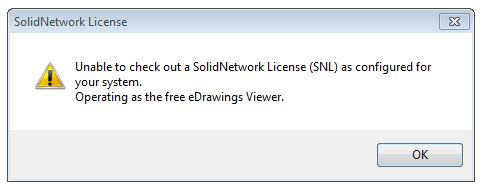
This article goes over how to change eDrawings so that it operates as eDrawings Viewer instead of eDrawings Pro, which pulls a SOLIDWORKS Professional or Premium Network License. If there is no license available to pull, eDrawings will display the launch error "Unable to check out a SolidNetwork License (SNL) as configured for your system", and then it will open without that license.
Solution
- Launch eDrawings.
- Navigate to Tools > Options

- In the "Options" window, open the "General" tab
- Uncheck "Disable SOLIDWORKS Network License" and click "OK"

- Restart eDrawings to confirm the error is gone
For additional support, existing customers can submit a ticket or new customers can contact Hawk Ridge Systems.
Comments
Article is closed for comments.