
Problem
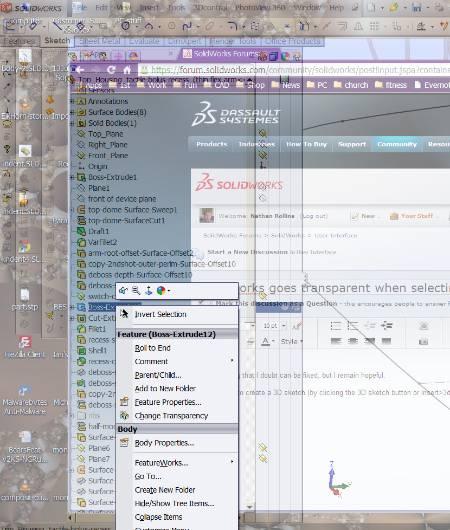
This article describes a fix for the issue where a user’s SOLIDWORKS window becomes transparent and displays windows located behind it. This is an issue that only occurs for users with NVIDIA graphics cards in older versions of SOLIDWORKS, around SOLIDWORKS 2017 or older, on Windows 7. Below is an example of the issue.
Solution
Follow the steps below to disable nView from the NVIDIA Control Panel. NView is a desktop manager software used to manage a workspace and is not essential to the functionality of the NVIDIA graphics card.
- Close SOLIDWORKS
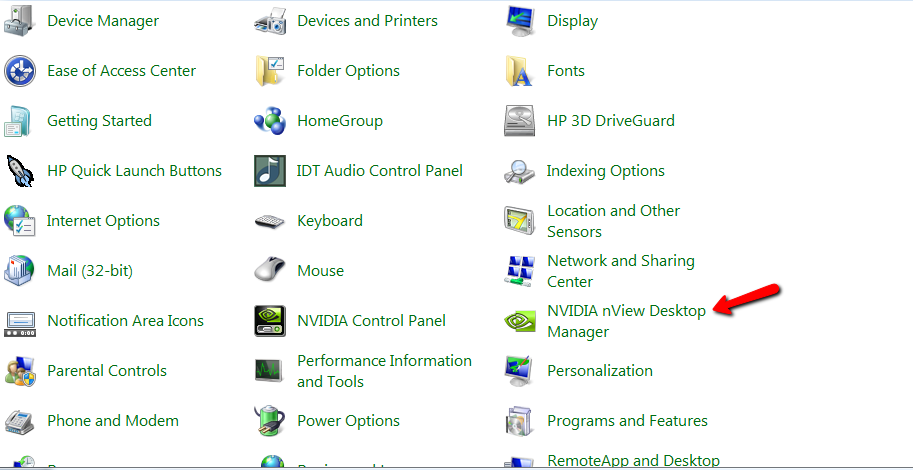
- Open the Windows Control Panel
- Open the “NVIDIA nView Desktop Manager”
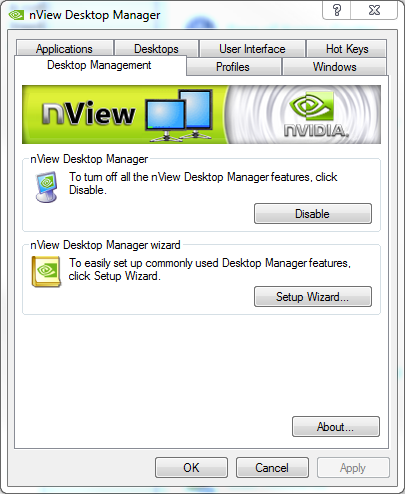
- Once open, navigate to the “Desktop Management” Tab and click the “Disable” button
- Launch SOLIDWORKS to retest the issue
For additional support, existing customers can submit a ticket or new customers can contact Hawk Ridge Systems.
Comments
Article is closed for comments.