
Problem
This article goes over how to resolve the SOLIDWORKS Installation Errors:
- SOLIDWORKS 20XX is not supported on the Windows XP operating system and will not be installed
- SOLIDWORKS 20XX is not supported on the Windows Vista operating system and will not be installed
-
SOLIDWORKS is not supported on Windows 7 Service Pack 0. You must update your system to Service Pack 1 or higher
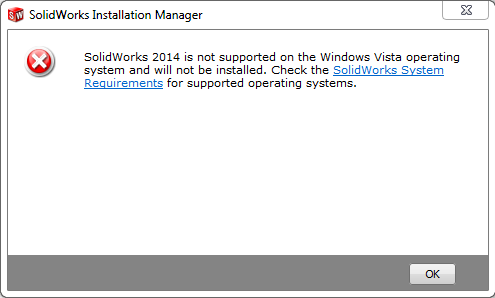
These errors can occur when installing SOLIDWORKS on Windows 7 or newer when there is improper or unknown use of the Windows Compatibility Mode Setting with the SOLIDWORKS installer setup.exe & sldim.exe. Upgrading Windows, such as upgrading from Windows 7 to Windows 10, may automatically set this setting on all SOLIDWORKS installer files.
Solution
Follow the steps below to turn off Windows Compatibility mode:
- Navigate to the SOLIDWORKS Installation file set
-
Right-click on "Setup.exe" and select "Properties"
- Click on the Compatibility tab
- Uncheck "Run this program in compatibility mode for", click "Apply", and then click "OK"
- Repeat steps 2-4 for "sldim.exe" located in the same folder
- Attempt to install SOLIDWORKS again
For additional support, existing customers can submit a ticket or new customers can contact Hawk Ridge Systems.
Comments
Article is closed for comments.