
Problem
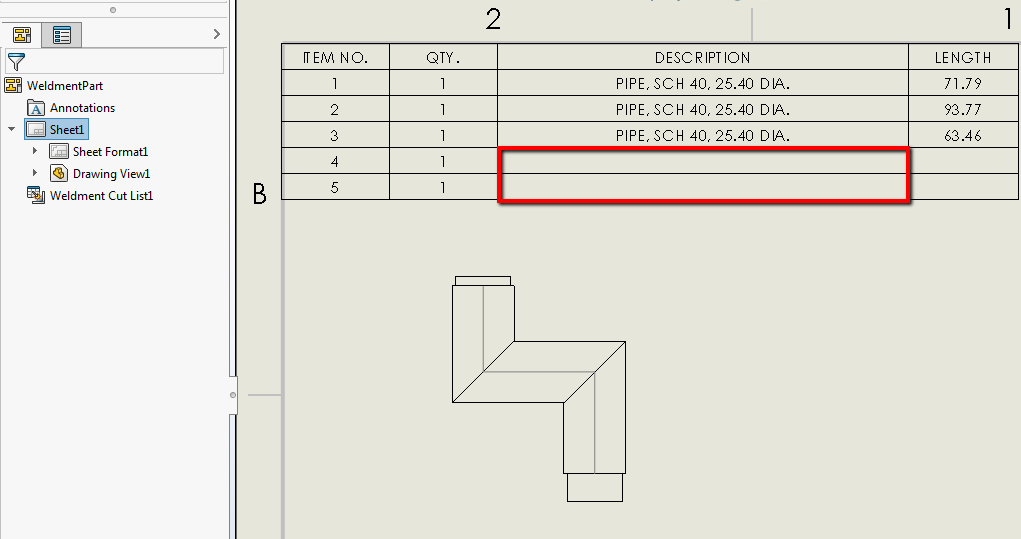
The description column for the Weldment Cut List provides the size of weldment components. However, the description for end caps is blank by default, as they don't have a "DESCRIPTION" weldment cut list property associated with them.
Solution
This can be quickly added by opening the weldment part. Then right-click on the end cap and select "Create Bounding Box".
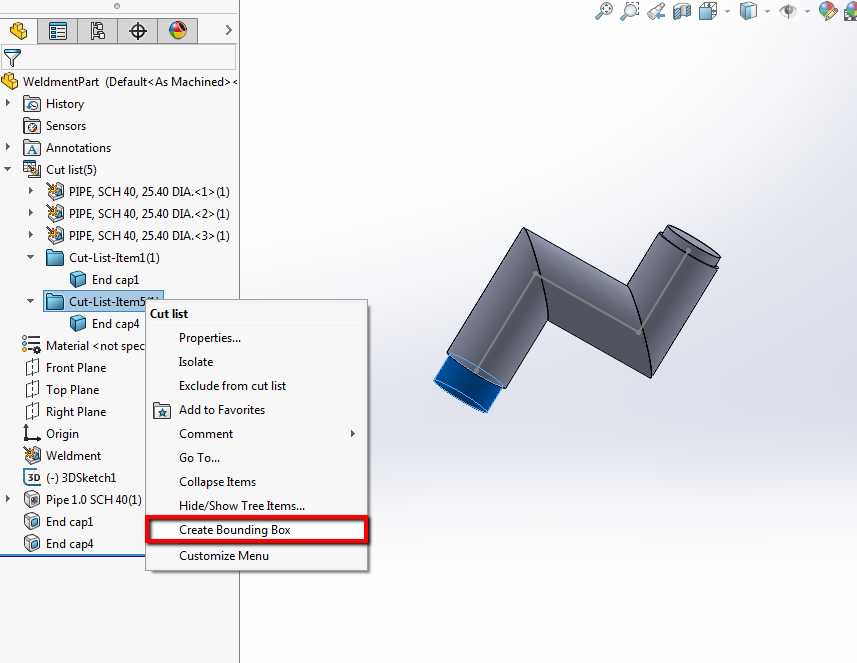
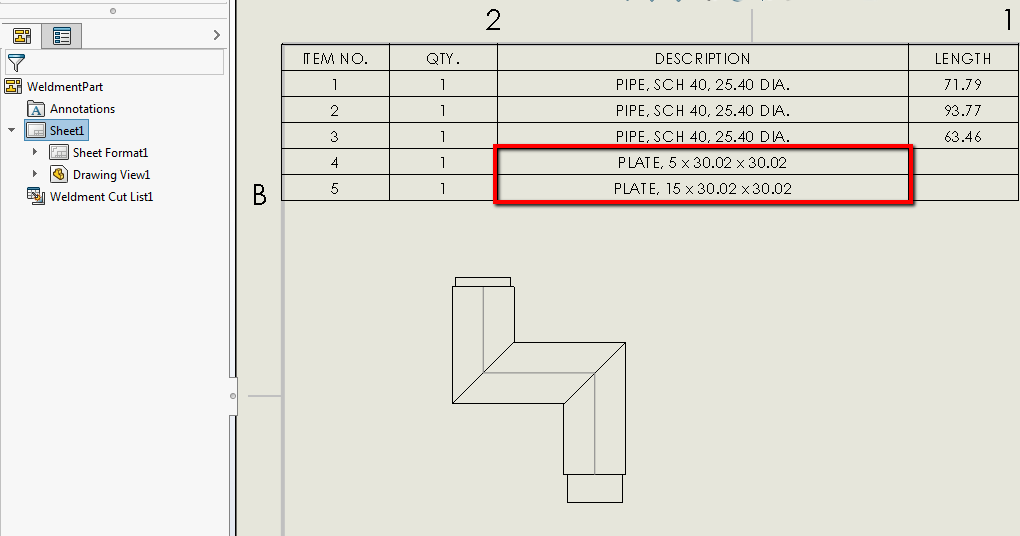
This will create the weldment properties for a bounding box, including an automatically populated description. This description will propagate to the drawing weldment cut list. The description can be manually edited from the weldment part as well to update the drawing weldment cut list.
For additional support, existing customers can submit a ticket or new customers can contact Hawk Ridge Systems.
Comments
Article is closed for comments.