
Problem
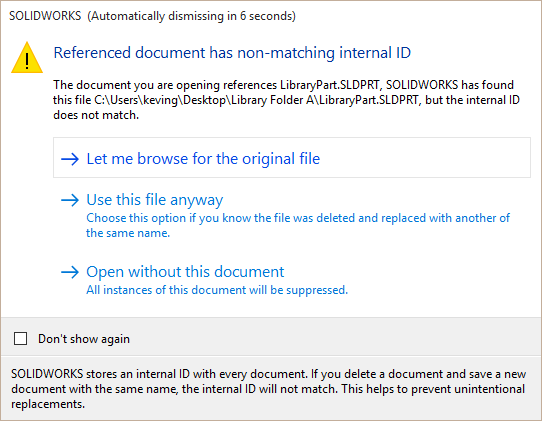
SOLIDWORKS stores an internal ID with every document to ensure that, although files may have identical names, there still exists a method to distinguish between them. In the case of a component being renamed to the same name as another component, or deleted and recreated, the ID will not match, and SOLIDWORKS will display the following message: Referenced document has non-matching internal ID.
Solution
The option to disable this warning prompt can be enabled by clicking "Don't show again", but this is a strongly discouraged practice. We recommend using this dialog box to browse for the correct file, open without the file to fix later, or have SOLIDWORKS accept the new replacement file if that is desired. Here are some resources on fixing file references:
How to Fix SOLIDWORKS File References
How to Change Reference Files in SOLIDWORKS – Hawk Ridge Systems
In the event this warning has been disabled, follow the steps here to re-enable it:
How to Restore Dismissed Messages in SOLIDWORKS – Hawk Ridge Systems
For additional support, existing customers can submit a ticket or new customers can contact Hawk Ridge Systems.
Comments
Article is closed for comments.