
Problem
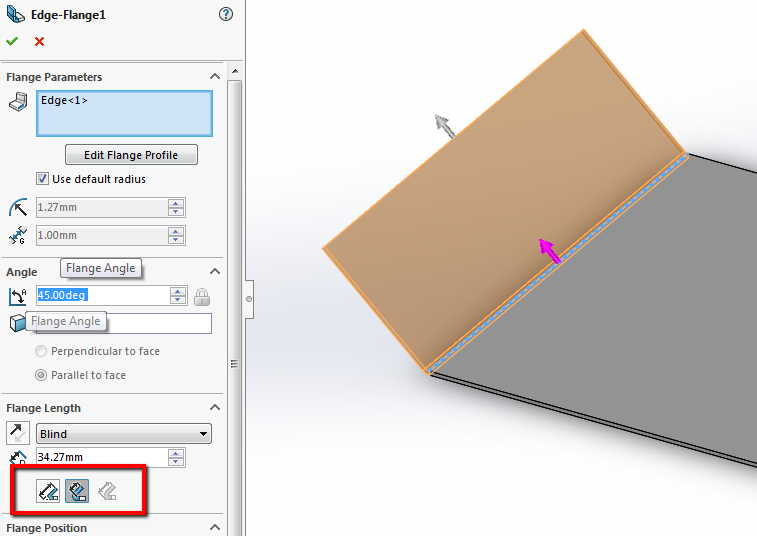
In SOLIDWORKS Sheet Metal, the most commonly used features are the Base Flange/Tab feature and the Edge Flange feature. Generally, when creating an edge flange, users can set the angle of the edge flange to an angle greater than 90 (which would point inward towards the center of the attached base flange) as well as an angle less than 90 (pointing outward from the attached edge). The image below shows an example of an edge flange angled at 45 degrees.
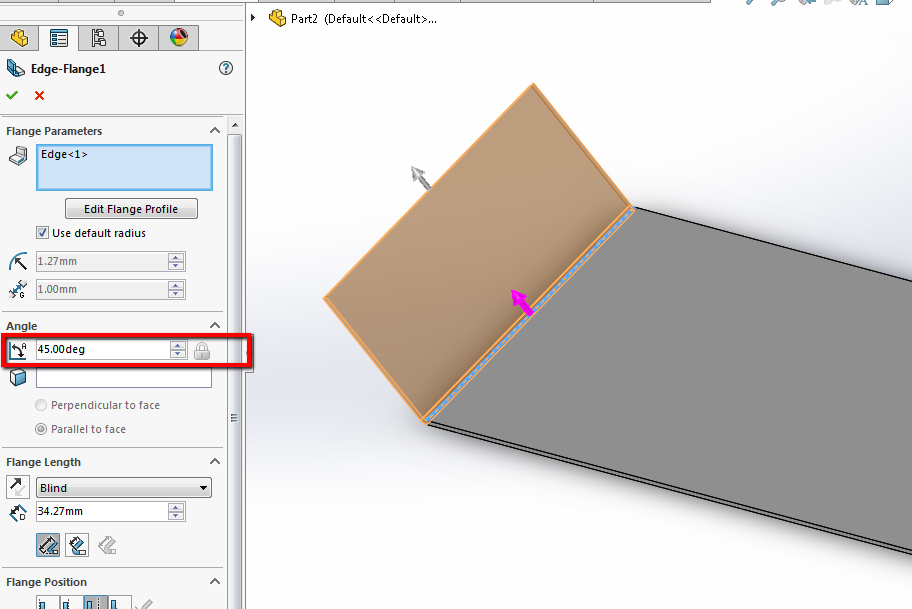
Sometimes, however, SOLIDWORKS will not allow users to create an Edge Flange with an angle lower than 90 degrees. Most of the time, this behavior has its roots in the Flange Length options within the Edge Flange’s Property Manager.
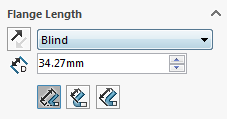
Solution
Under the Flange length options, there are three options: Outer Virtual Sharp, Inner Virtual Sharp, and Tangent Bend. These three options dictate how SOLIDWORKS measures the length of the Edge Flange, either from the Outer Virtual Sharp, the Inner Virtual Sharp, or the Tangent Bend. In order to create an Edge Flange with an angle less than 90 degrees, we must use either Outer Virtual Sharp or Inner Virtual Sharp.
If we were to attempt to enter an angle value less than 90 degrees while the Tangent Bend option was active, we’d receive the following error message: Please enter a number greater than or equal to 90 degrees and less than or equal to 180 degrees.
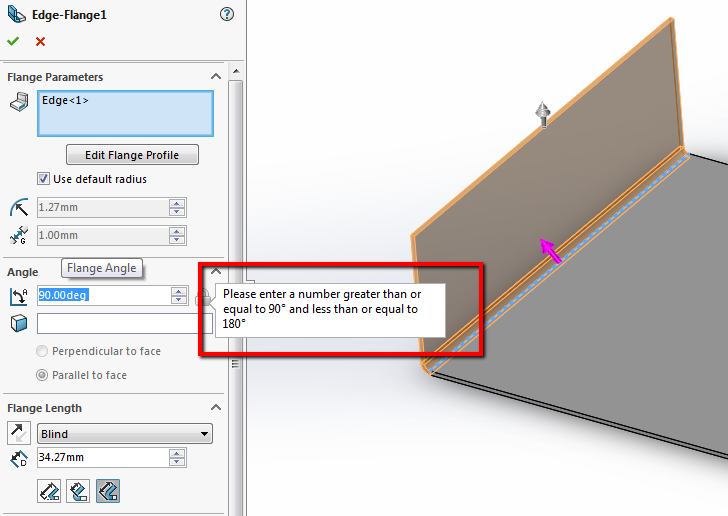
We can even see that SOLIDWORKS will automatically correct our value to the lowest acceptable angle value: 90 degrees. If we were to input an angle value greater than 90 degrees, however, we’d see that SOLIDWORKS would have no problem doing this.
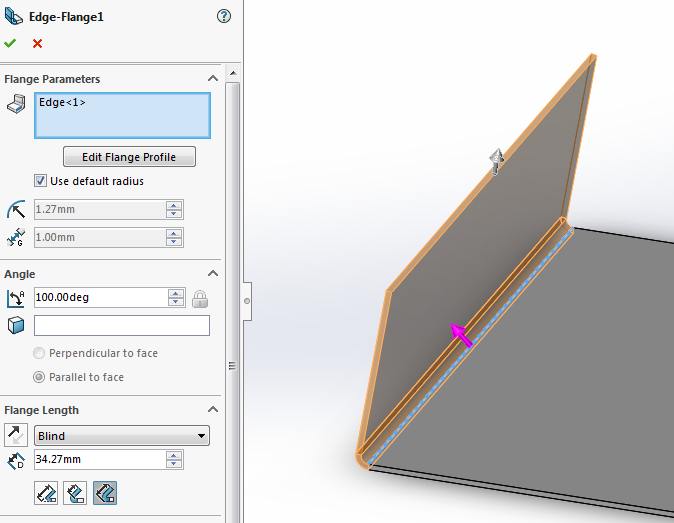
It is only when we attempt to input an angle less than 90 degrees do we receive the before mentioned error message. The reason for this behavior lies in how SOLIDWORKS is attempting to preserve the length of the base flange that the edge flange is attached to. When the angle of the edge flange is greater than or equal to 90 degrees, the length of the base flange can be preserved; however, if the edge flange points outward, the length of the base flange can no longer be preserved. This would negate the effect of the Tangent Bend option, and therefore SOLIDWORKS does not allow this behavior. For more information on the effect of the Tangent Bend, check QA00000116498 in the SOLIDWORKS Knowledge Base.
In order to ensure that we can create edge flanges that can angle outwards, ensure that the Flange Length options Inner or Outer Virtual Sharp are activated.
For additional support, existing customers can submit a ticket or new customers can contact Hawk Ridge Systems.
Comments
Article is closed for comments.