
Problem
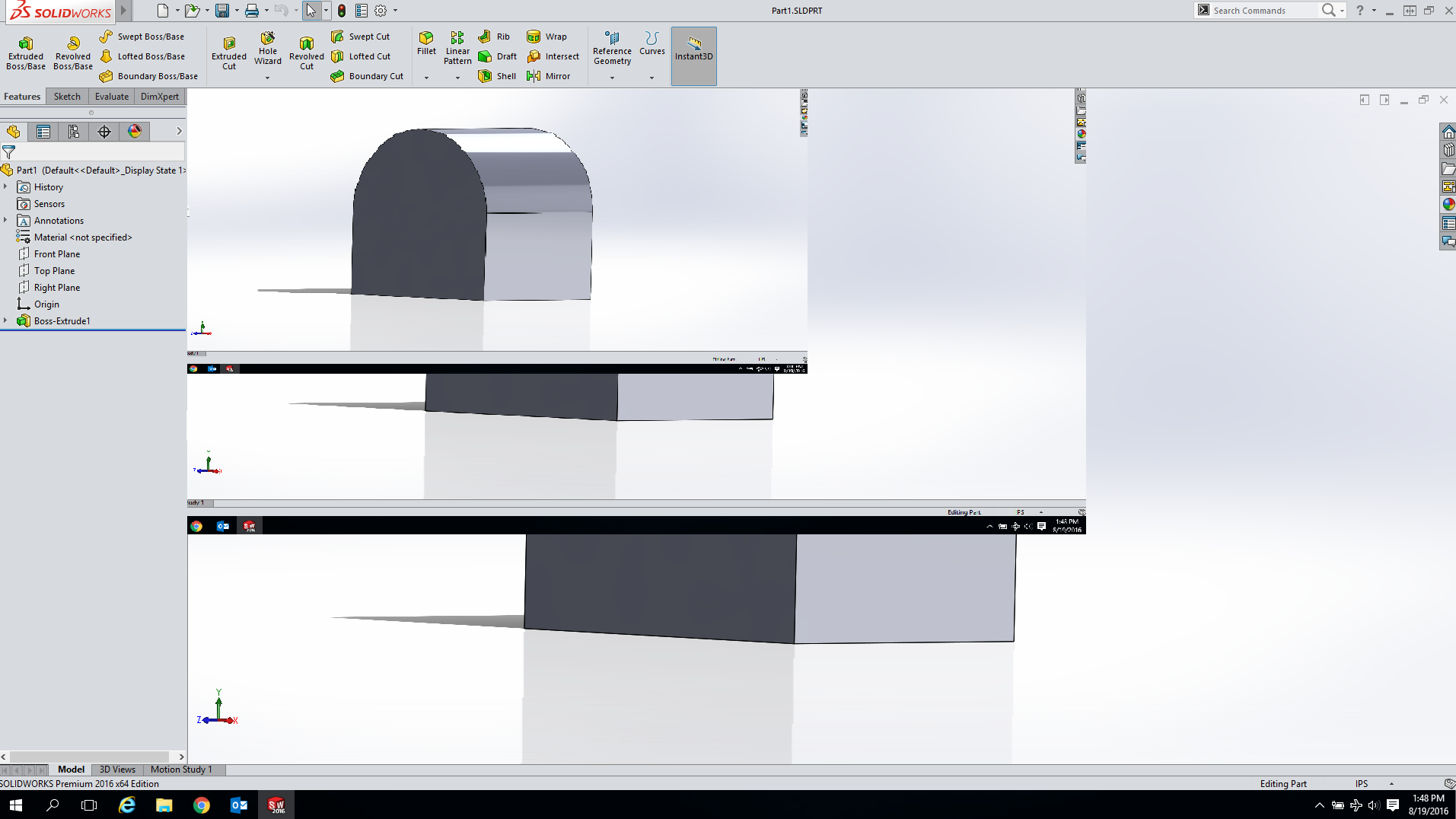
This article goes over the steps necessary to resolve an issue where the SOLIDWORKS 2019 or Older viewport cascades and flickers when using multiple monitors with different resolutions(especially with 4K monitors). This issue has been reported to the SOLIDWORKS development team under SPR 968986, which has been resolved starting with SOLIDWORKS 2019 SP1. This issue occurs with SOLIDWORKS 2019 SP0 and older on machines with Windows 8.1 or Windows 10.
Solution 1: Upgrade SOLIDWORKS
SPR 968986 has been resolved starting with SOLIDWORKS 2019 SP1. Upgrade to a version of SOLIDWORKS that is 2019 SP1 or newer, then retest the issue.
Solution 2: Adjust DPI Settings
This issue has previously been associated with the high DPI scaling feature in Windows 8.1 and Windows 10. Follow the steps below to adjust the DPI Settings:
- Right-click on the SOLIDWORKS shortcut and select "Properties". On Windows 10, if there is no shortcut for SOLIDWORKS on the desktop, access this "Properties" option by navigating to the Start Menu > All apps > SOLIDWORKS 20XX, right-click on the SOLIDWORKS Icon to select More > Open file location to open the location of the shortcut, and then right-click on the shortcut for SOLIDWORKS.
- Optional: When not launching SOLIDWORKS from a shortcut, navigate to the location of the SLDWORKS.exe file located in the SOLIDWORKS installation location, right-click on the .exe file to select "Properties". The default location is: C:\Program Files\SOLIDWORKS Corp\SOLIDWORKS\SLDWORKS.exe.
- Navigate to the "Compatibility" tab in the new window.
- Check the option for "Disable display scaling on high DPI settings" or, with newer versions of Windows 10, click "Change high DPI settings" and then check the option to override high DPI scaling and set the drop-down to Application.
- Click "OK" twice to exit and apply the changes.
- Restart SOLIDWORKS and re-test the issue.
For additional support, existing customers can submit a ticket or new customers can contact Hawk Ridge Systems.
Comments
Article is closed for comments.