
Problem
This guide is written to address Bonjour-related installation issues with SolidWorks 2012 to 2016. The issue causes the Installation Manager to crash upon installation. SOLIDWORKS 2012 to 2016 uses Bonjour 3.0.0.1 for activities such as PhotoView 360. Unchecking PhotoView 360 from the Installation Manager still triggers the problem.
During the installation of SolidWorks, users may see the errors:
-
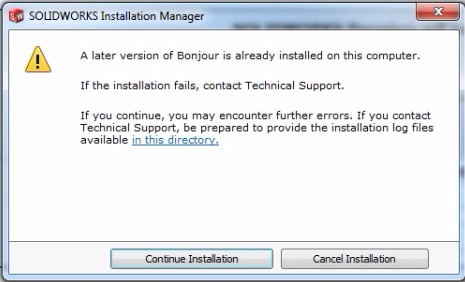
A later version of Bonjour is already installed on this computer
-
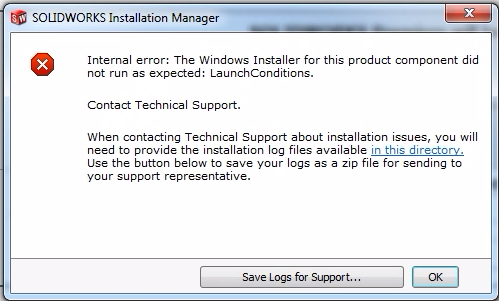
Internal Error: The Windows Installer for this product component did not run as expected: LaunchConditions.
Solution
- In Windows Search, type "Control" to bring up the Windows Control Panel
- Select “Uninstall a Program” or “Programs and Features” depending on Control Panel view settings
- Locate the Bonjour program and verify that it is not on version 3.0.0.1
- Uninstall Bonjour by right-clicking the program and selecting “Uninstall”
- Select “Yes” when presented with the dialogue box to uninstall
- After Windows has completed the uninstallation, try to install SOLIDWORKS again
The SolidWorks Installation Manager will automatically install the required version of Bonjour, 3.0.0.1. If the user wants a newer version of Bonjour, they may update Bonjour after the installation of SOLIDWORKS has been completed.
For additional support, existing customers can submit a ticket or new customers can contact Hawk Ridge Systems.
Comments
Article is closed for comments.