
Problem
When nesting parts that are similar in size on both sides, the software chooses the largest side as the top face (face up on the sheet). If this face is curved or not flat, it will not nest.
Solution
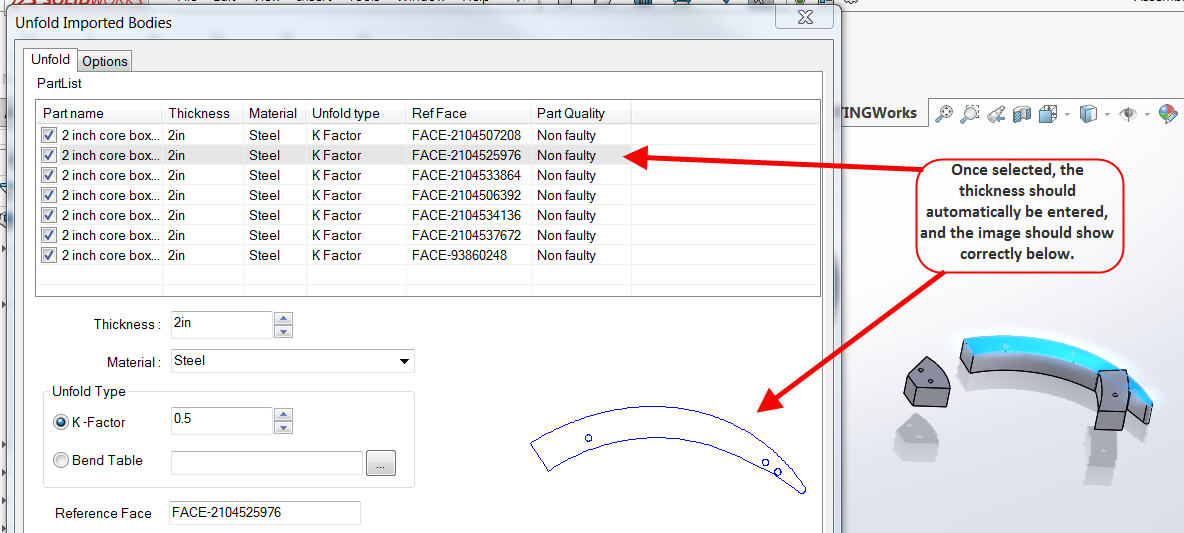
This is easily changed by selecting the part in the Unfold list and then selecting the appropriate top face on the part itself.
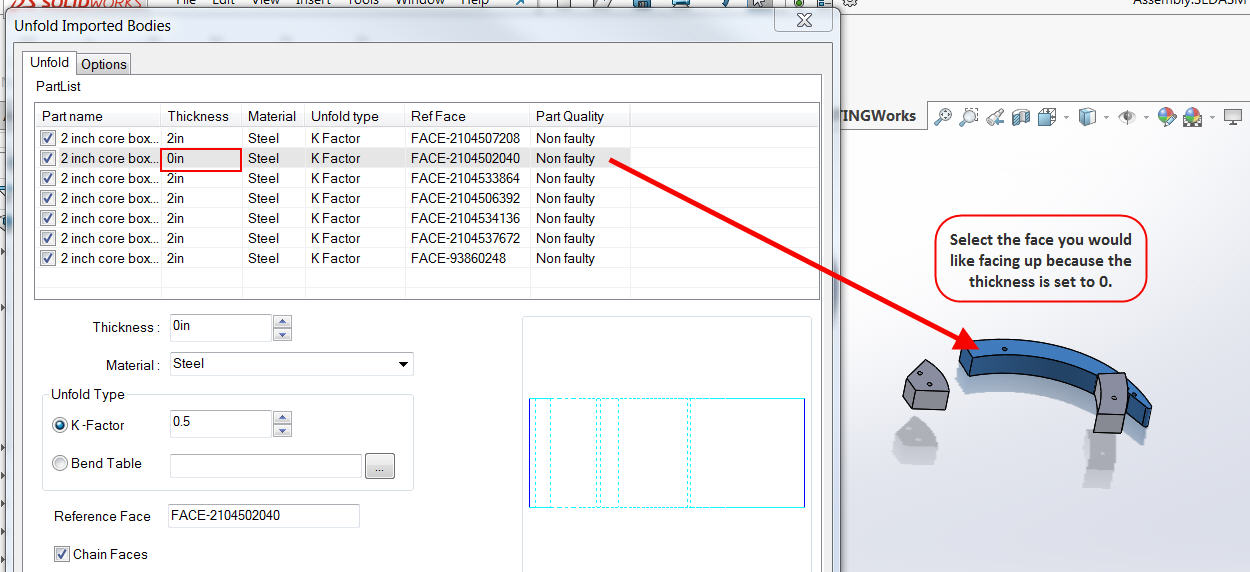
This will add the part thickness automatically, and it will also show a preview of the part in the preview window.
For additional support, existing customers can submit a ticket or new customers can contact Hawk Ridge Systems.
Comments
Article is closed for comments.