
Problem
When multiple drawing views exist, it is important that their balloons display the same numbers for the same parts. This article goes over how to link Balloons in a SOLIDWORKS drawing to the Bill of Materials (BOM).
Solution
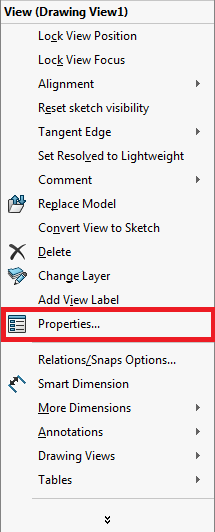
- Right-click on the drawing view and select "Properties"
-
In the Balloons section at the bottom, check "Link balloon text to specified table" and select the BOM from the dropdown
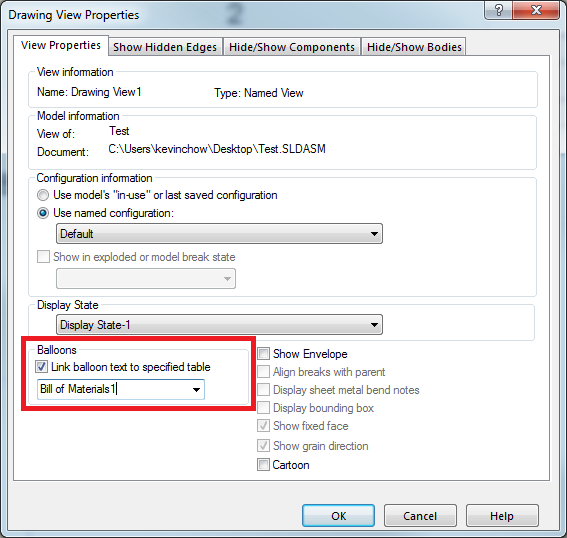
- Click "OK" to finish linking the Ballons to the BOM
After clicking OK, the drawing views that are linked to a particular BOM should display the same balloon numbers for the same parts.
For additional support, existing customers can submit a ticket or new customers can contact Hawk Ridge Systems.
Comments
Article is closed for comments.